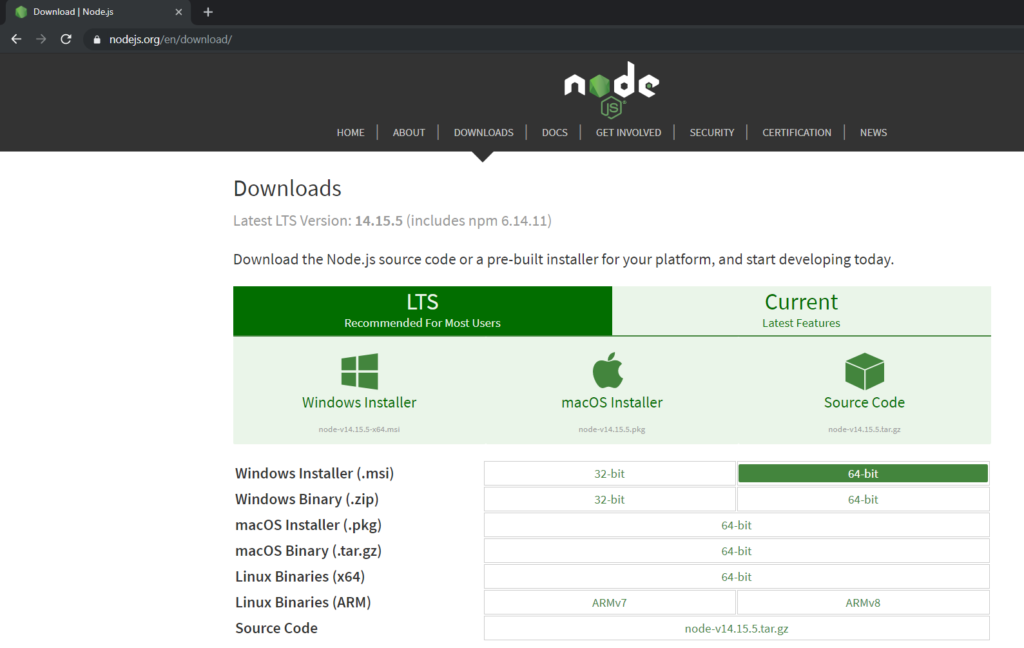
Go to official Nodejs website https://nodejs.org/en/download/
Download 32 bit or 64 bit version, as per your system requirement.
2. Create your React project
Create Folder like ‘ReactProject’
If you’ve previously installed ‘create-react-app‘ globally via ‘npm install -g create-react-app‘, please remove any global installs with one of the following commands: # npm uninstall -g create-react-app # yarn global remove create-react-app
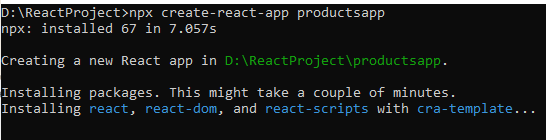
Create first React application, using following command # npx create-react-app <APP-NAME>
** In some cases, you might get an error like “npm ERR! cb() never called!”.
You can run the following command using Administrative privileges and try to create app again.
# npm install –global windows-build-tools
Once your project folder/app will be created successfully, you will see the following screen
3. Start the development server
Go to your app folder and type the following command to start the development server # npm start
This command will start your application on http://localhost:3000